

Business & EntrepreneurshipSmall Business Control Kit
Run your business numbers without complicated spreadsheets
Track sales, expenses, monthly profit, cash and bank, stock and udhaar in one practical workbook made for shops that sell goods. You type each transaction once; the profit and loss, cash and bank, stock, dues, year-end figures and the dashboard charts update by themselves.
₹599
Instant digital download after your payment is confirmed.
Licence
Single business licence (this page): ₹599. Running more than one business, or keeping books for clients? Multi-business licence: ₹1,999 for up to 5 businesses
- Secure payment by Razorpay
- Instant download
- Refund policy
- FormatsXLSX, PDF
- Inside5 files
- LevelBeginner
- PriceOne-time, no subscription

Your order at a glance
Exactly what you're buying
- Product
- Small Business Control Kit
- You get
- Business workbook (clean) XLSX
- Worked example workbook XLSX
- Guidebook PDF, 8 pages
- FAQ for shop owners PDF
- Daily business checklist PDF, 1 page
- Opens in
- LibreOffice Calc 7 or later · Microsoft Excel 2016 or later, Microsoft 365 · Google Sheets · Phone or tablet
- Level
- Beginner
- Delivery
- Instant digital download after your payment is confirmed.
- Price
- ₹599 one-time
Why it exists
Sound familiar?
- I don't know how much the business really earns after expenses.
- Small expenses slip through and I lose track of where money goes.
- Putting together a monthly summary takes hours, so I skip it.
- Stock is in one notebook, sales in another, and they never match.
- My bank balance looks fine, but I can't tell if that's profit or a loan.
- I forget who still owes me money, and which bills I still have to pay.
How Small Business Control Kit helps
Every sale, expense, purchase, loan or transfer goes on one Money Tracker sheet, one row each, with dropdowns and a Check column that tells you if anything is missing. From those rows the workbook builds a monthly management P&L, recorded cash and bank balances, stock levels with average cost, a list of customer and supplier dues, and a one-page dashboard. Service businesses switch stock off and never see it.
It calculates from what you record, so results are only as complete as your entries. It is a management view: it doesn't file GST, import bank data or replace an accountant, and it can't guarantee profit.
After using it, you can
- See revenue, cost of sales, expenses and profit for any month, and for the year
- Know your recorded cash and bank balances, and compare them with your bank statement
- See where the money went and your best-selling items as charts on one dashboard
- Track stock with average cost, estimated value and low-stock warnings
- Keep udhaar and supplier bills in one automatic dues list with overdue flags
- Keep loans, your own money and transfers out of profit, so revenue and profit are never confused
- Carry closing balances, stock and unpaid bills into next year from the Year End tab, in the same workbook
What you lose by waiting
What not knowing your numbers costs you
A healthy bank balance can hide a weak month. In the example shop, September's bank balance includes money from a ₹60,000 loan, while the month's profit was ₹18,516.
Small costs add up quietly. Without categories, it's hard to see that rent and wages take 77% of the example shop's monthly expenses.
Credit you forget is money you don't collect. The dues list flags each overdue invoice the day it passes its due date.
Setting up takes about 10 to 15 minutes (our target). Every month you wait is another month of guesswork.
What's included
5 deliverables, described honestly
-
XLSX
Business workbook (clean)
Nine tabs: Start Here, Setup, Money Tracker, Stock, Monthly P&L, Cash & Bank, Dues, Year End and Dashboard. Room for 3,000 transactions a year, 300 stock items and 4 cash or bank accounts. Dropdowns, a Check column on every row, dashboard charts, and calculated cells locked so nobody types over a formula by mistake (the password to unlock is in the Guidebook). No macros.
- Helps you
- Record your shop once and see profit, money, stock and dues update by themselves.
- How to use
- Fill in Setup (about 10 minutes), then add each sale and expense on Money Tracker. Yellow cells are yours; grey cells are calculated and locked.
-
XLSX
Worked example workbook
The same workbook filled with six months of a fictional stationery and gift shop: 322 transactions, 12 stock items, a loan, owner drawings, credit sales and supplier bills.
- Helps you
- See exactly how each kind of entry affects the P&L, charts and dashboard before you enter your own.
- How to use
- Open it first and switch the Dashboard between months.
-
PDF, 8 pages
Guidebook
A short, picture-led guide: opening the files, the locked cells and password, setup, recording money with a table of everyday shop entries, stock, udhaar, reading the P&L and dashboard charts, your routine, starting a new year, and fixing common problems.
- Helps you
- Get set up without an accounting background.
- How to use
- Read the first three pages before you start, then keep it for reference.
-
PDF
FAQ for shop owners
36 real shop situations with what to do in the workbook: UPI and card fees, discounts, returns, damaged stock, udhaar and part payments, EMIs, cash shortages, a simple way to record GST, several people sharing one file, and moving to a new year.
- Helps you
- Record tricky situations correctly the first time.
- How to use
- Look up a situation when it happens.
-
PDF, 1 page
Daily business checklist
What to do every day, week, month and year to keep the workbook accurate.
- Helps you
- Build a simple habit so the numbers stay up to date.
- How to use
- Print it or keep it beside your computer.
Preview
Look inside before you buy
Real screenshots and sample pages from the product.
Free for you, no email needed
Daily Business Checklist (PDF)
The 5-minute end-of-day routine from the kit: count the cash, record the day, check who owes you. Yours free, no email needed.
Worked example
Saanvi Stationery & Gifts, a fictional shop, in September
Before
- The bank account shows ₹2,11,838, so the month feels great
- A ₹60,000 loan and festival stock purchases are mixed in with sales
- Nobody has added up where the money went
With the workbook
- Revenue ₹1,07,603, cost of goods sold ₹56,641, running expenses ₹32,446
- Net profit by the workbook's method: ₹18,516 (17.2% of revenue). The bank balance includes loan money, which is not profit
- Rent and wages are 77% of expenses, 6 items need reordering and ₹3,650 from a coaching class is overdue
These are the workbook's own results for the fictional example data included in the download. Your figures will be different.
After you buy
Your first win, step by step
Download and unzip
Download the file after your payment is confirmed, unzip it and open the worked example to see how it works.
Set up your business
Open the clean workbook. On Setup, enter your year start, accounts and opening balances; it comes set for a retail shop with stock and credit switched on.
Record your first entries
Add your first sale and your first expense on Money Tracker. The Check column confirms each row.
Read your dashboard
Choose this month on the Dashboard and see revenue, costs, profit, cash and bank, and what needs attention.
Your first win
You see last month's revenue, costs and profit on one page, and know exactly where your money went.
Quality
Checked before it reached you
- 143 automated checks passed in LibreOffice Calc: calculations, locked cells, 18 real shop situations and the download package
- Tested with 322 sample entries covering 6 months
- No macros, no login and no internet needed
- Download package unzipped and checked file by file
Is it right for you?
Who it's for, and who it isn't
Beginner
A great fit if you are
- A retail shop owner who wants a monthly profit picture: kirana, stationery, garments, hardware, mobile accessories, cosmetics
- An online seller or home business tracking stock and expenses
- A small wholesaler or distributor with customers on credit
- A shop where two or three people record sales in one file
- A freelancer, consultant or small agency (stock switched off)
- Anyone who prefers a spreadsheet they own to another app subscription
Probably not for you if
- You need statutory bookkeeping, GST filing or tax advice
- You want bank or marketplace transactions imported automatically
- You need accounting software, an ERP or multi-user cloud software with logins
- You need batch, expiry or multi-warehouse inventory control
- You will only ever use a phone
Works with
| App or device | Works? |
|---|---|
| LibreOffice Calc 7 or later | Yes: 143 automated checks run in LibreOffice |
| Microsoft Excel 2016 or later, Microsoft 365 | Built only with standard functions Excel supports, and Excel keeps the formula lock. Our automated tests run in LibreOffice, not Excel. |
| Google Sheets | Upload to Google Drive, then open with Google Sheets. A free Google account is enough. Sheets may not keep the formula lock; the Guidebook shows how to protect the grey cells there. |
| Phone or tablet | Set up on a laptop or desktop. After that, the Excel phone app can be used to add sales and view the dashboard; not every phone app has been tested. |
| Guidebook, FAQ and checklist | Any PDF reader |
| Internet, add-ons, macros | Internet only to download, or to use Google Sheets. No macros, no add-ons, no subscription. |
Compare
What the other options cost
- TallyPrime Silver (12-month plan) source₹8,100 a year + GST
- Zoho Books Standard (billed yearly) source₹749 a month + taxes
- myBillBook Diamond (billed yearly) source₹217 a month + GST
- Small Business Control Kit₹599 once
Prices seen on each company's own page on 19 Oct 2026. Those are full accounting and billing apps with more features. This kit is a simpler workbook you own, for owners who mainly want to see their money, stock and profit.
Price
Get Small Business Control Kit
- Choose your option
- Pay securely
- Download your files
Licence
Single business licence (this page): ₹599. Running more than one business, or keeping books for clients? Multi-business licence: ₹1,999 for up to 5 businesses
Questions
About Small Business Control Kit
Is this an app or a spreadsheet?
A spreadsheet workbook (.xlsx) that you download and keep. It is not a hosted app or cloud accounting software.
Can I use it on my phone?
Set it up on a laptop or desktop. After that, the Excel phone app can be used to add sales and look at the dashboard. Wide sheets are easier on a bigger screen, and we have not tested every phone app.
Does it work on Excel and Google Sheets?
It is built only with standard spreadsheet functions and no macros, for Microsoft Excel 2016 or later, Google Sheets and LibreOffice Calc. All calculations were tested in LibreOffice Calc (143 automated checks). Google Sheets may not keep the formula lock.
Do I need a paid subscription?
No. It is a one-time purchase. LibreOffice and Google Sheets are free; Excel works too if you already have it.
Can a service business use it without inventory?
Yes. It is made first for shops that sell goods, but a service business can set Track stock to No on Setup. Purchases then count as costs straight away and the Stock tab can stay empty.
Can I customise categories?
Yes. Rename or add up to 8 income and 20 expense categories, 4 accounts and your own units on Setup.
Does it give a monthly P&L?
Yes: revenue, cost of sales, gross profit, expenses by category, operating and net profit for each month and the year. It is a simplified management P&L, not audited accounts.
Does it replace an accountant?
No. It gives you a clear internal view. For tax, GST and statutory accounts, use an accountant or accounting software.
Can my staff break the formulas?
No. Every calculated cell is locked, so staff can only type in the yellow cells. The password to unlock (only needed to change the design) is printed in the Guidebook.
What happens at the end of the year?
You keep using the same workbook. The Year End tab lists your closing cash, bank, stock and unpaid bills; save a copy, change the year start date and carry those figures forward. The Guidebook shows each step.
How do I record UPI fees, returns, GST or part payments?
The included FAQ covers 36 real shop situations like these, with exactly what to type. 21 of the answers were typed into the workbook and checked.
Are stock purchases counted correctly?
Buying stock doesn't reduce profit until the goods are sold. Each sale's cost uses the item's average cost, so purchases are never counted twice. Stock value is an estimate, not a valuation for your accounts.
Can I import bank data automatically?
No. You enter transactions yourself. You can type your bank statement balance on Cash & Bank to check your records.
How do I get my files?
You can download them as soon as your payment is confirmed.
What support is provided?
Contact us through the website's Help or Contact page with your order number and we'll help you get it working.
What does the licence allow?
This is a single business licence: use the Kit for one business you own or manage, with copies for your own backups and for that business's staff. Running more than one business, or keeping books for clients? Ask us about a multi-business licence at contact@vedadigimart.com.
All licences: no reselling, sharing publicly or publishing the files. VedaDigiMart keeps the copyright. Results depend on your entries and are not accounting, tax or legal advice.
What is the refund policy?
Please see our Refund policy page before you buy.
Run your business numbers without complicated spreadsheets
Record each money movement once and see monthly profit, cash and bank, stock and dues on one dashboard. A downloadable workbook for Excel, Google Sheets or LibreOffice.
Buy nowYou may also find useful
Related toolkits
Business & Entrepreneurship
Home Kitchen Costing & Orders
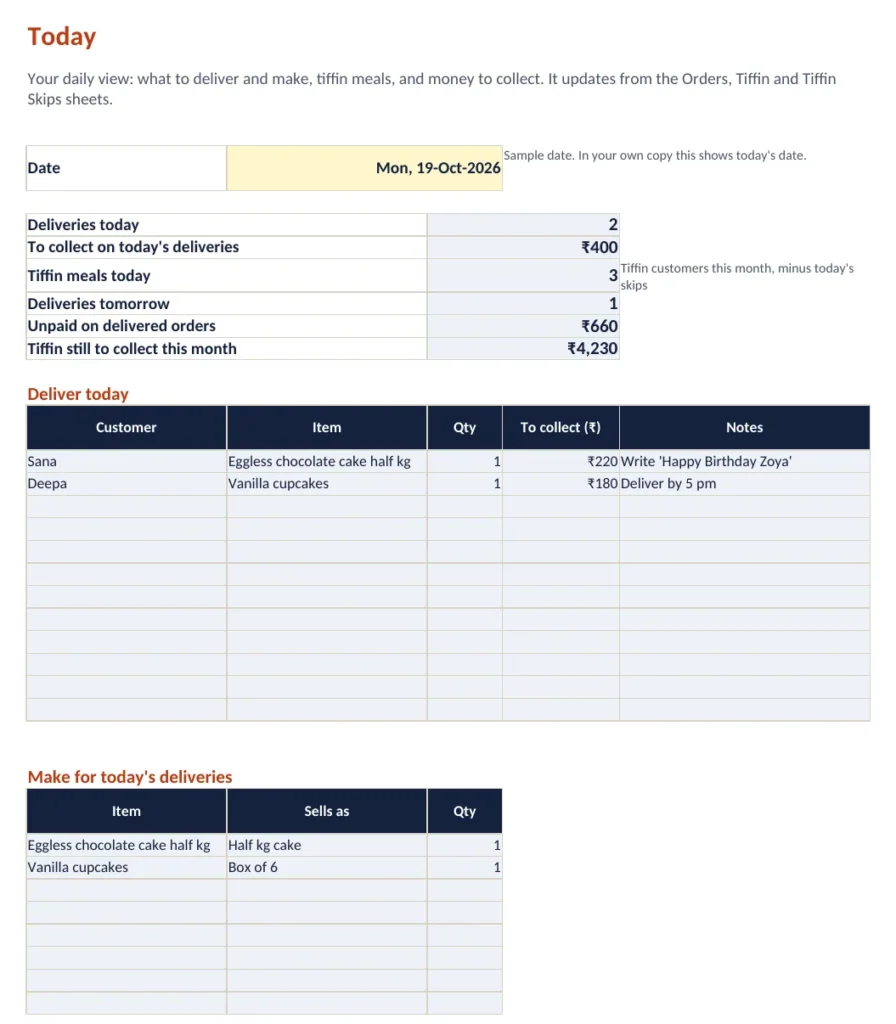
Price every recipe from your real costs, then run orders, tiffin customers and payments from one Today sheet. Excel, Google Sheets or LibreOffice.
Included: Costing and orders workbook (blank + filled sample), 10-page quick-start guide